Laser marking
Fiber vs MOPA for Metal: Where UV, CO2 and Diode Fit
By PickaLaser Published Updated 9 min read
How do I choose between fiber, MOPA, UV, CO2 and diode?
Choose the laser for the material and process, then compare exact configurations. Wavelength, pulse control, lens area and cooling matter alongside optical power; a price or wattage alone does not establish cutting capability.
Check the original sourcesAn affordable fiber marker and an enclosed diode cutter can both start near $1,300, yet solve different jobs. A 6W UV engraver can cost more than either. Comparing those numbers as if they measured the same cutting or engraving capability leads to an expensive mismatch.
This guide compares five named configurations against specific work: bare-metal identification, stainless color marking, fine marking on compatible glass or plastic, acrylic cutting and wood personalization. Prices are USD item-price snapshots checked on November 15, 2026, before destination tax and freight; configuration and stock must be confirmed with the seller. This is a source-selection analysis, not a PickaLaser machine test.
In this guide
- Five actual configurations, five different purchase questions
- Bare metal: start with the B4’s intended process, not a cutting promise
- MOPA: pay for a controllable process, not the word itself
- UV: price the substrate and fixture together
- Clear acrylic and wood: the K40+ and S1 are different tools
- Do not approve the source before checking the lens and geometry
- A concrete shortlist for four common jobs
- Fiber vs MOPA: what changes for metal engraving?
- Two dated Amazon configurations, not a like-for-like price ranking
- Sources
Five actual configurations, five different purchase questions
The links below identify the selected power and package rather than a family-wide minimum. ComMarker and Cloudray prices were cross-checked against their official variant records. The S1 and K40+ are useful contrasting desktop examples; their bed-style workflow should not be treated as equivalent to a galvo marker.
A $1,299 B4 and a $1,448 S1 differ by just $149 in these selections. That small price gap tells you nothing about which one can process your blank. Source, substrate and required result decide whether either belongs on the shortlist.
| Source and exact configuration | USD item price, Nov 15 | The job to investigate |
|---|---|---|
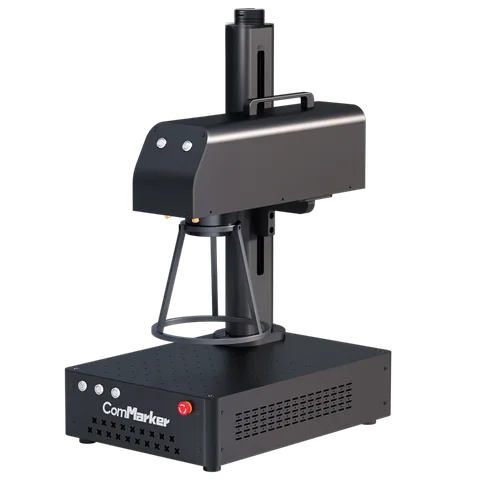
| ComMarker B4, 20W, 110V, without rotary — ComMarker B4 seller | $1,299 | Bare-metal identification and engraving |
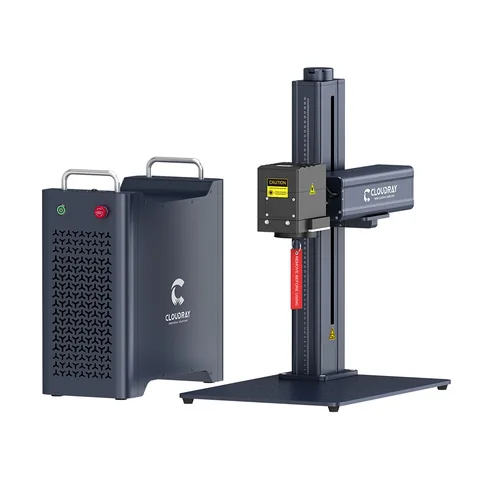
| Cloudray GM Neo, 100W MOPA, US destination/American plug — Cloudray GM Neo seller | $7,999 | Metal work requiring adjustable pulse behavior |
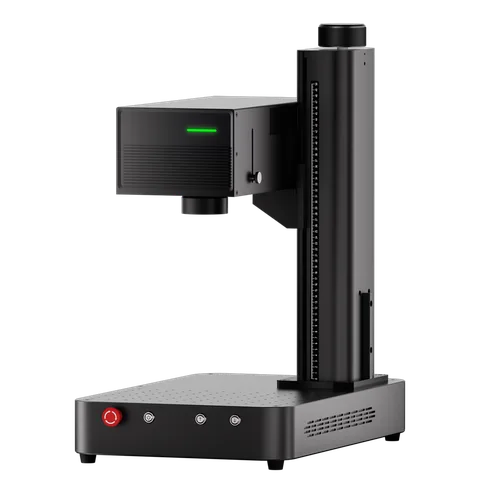
| ComMarker Omni XE, 6W, 110V, Basic Bundle — ComMarker Omni XE seller | $3,099 | Fine marking on the specifically supported substrate |
| xTool S1, 40W Basic Bundle — xTool S1 seller | $1,448 | Wood and listed opaque-material projects |
| OMTech K40+, 45W Standard Package — OMTech K40+ seller | $579.99 | Small-format CO2 cutting and engraving |
Bare metal: start with the B4’s intended process, not a cutting promise
The B4 product page offers 20W, 30W, 50W and 100W choices. The quoted $1,299 is specifically the 20W option without a rotary; a metal tumbler workflow may need another fixture and a different delivered scope. Marking a logo, removing a coating and cutting a hole through metal are separate acceptance tests.
That distinction appears in a July 2025 LightBurn owner post. tcbeaton reported successfully etching metal business cards with a B4 20W, but could not cut a design completely through despite trying combinations of settings and passes. The post does not identify the metal or thickness, and gives no successful final recipe. It supports a narrow observation: an acceptable etched face did not establish cut-through capability on that owner’s stock.
For the same product idea, specify the alloy, coating and thickness, then send the actual card. Ask for the finished opening, edge condition and total processing time, including repeated passes. If the proposal is only a visible surface mark, do not buy extra power solely because another demonstration shows deep engraving on a different metal.
MOPA: pay for a controllable process, not the word itself
MOPA is a fiber-source architecture, not a sixth material or a guarantee of color. JPT’s M7 specification describes independently adjustable pulse width and frequency. That makes source generation and the usable parameter range relevant when comparing a conventional fiber package with a MOPA package.
The GM Neo listing identifies JPT M7 and offers 100W and 200W configurations. The selected 100W US package is $7,999; the catalog’s 200W US option is $11,999, also present in the November 15 variant record. The $4,000 difference is a configuration cost, not evidence that the larger source earns more or produces the same color faster.
For stainless color work, require several repeated samples on the same alloy and finish. Record the source, lens and pulse controls used. Then check what changes after cleaning and the handling expected for the finished product. If the goal is simply a readable identifier, define that smaller requirement before paying for a color-oriented workflow. A photograph of one rainbow sample cannot establish production repeatability.
UV: price the substrate and fixture together
The current Omni XE selection is 6W Basic at $3,099. Its 6W Rotary Bundle is $3,359, an additional $260; the 12W Basic selection is $5,399. These are package choices within the same family, not interchangeable prices for the pictured machine. Establish whether the job is surface marking or an internal effect in a compatible transparent object before choosing a bundle.
A January 2026 LightBurn report adds a useful compatibility detail. Arosound identified an XE as 5W and described Z-axis movement while framing in rotary mode, with both chuck and roller arrangements. Support requested settings; the accessible thread does not show a completed fix. That older 5W account cannot be treated as a test of today’s 6W or 12W selections, but it shows why a claimed material capability and an installed rotary workflow need separate checks.
If the intended order is cylindrical glass, ask the seller to demonstrate the exact source, fixture and software combination on that shape. A flat glass block demonstration does not prove the same positioning, access or surface result on a curved item. Keep the sample dimensions and fixture part number attached to the quotation.
Clear acrylic and wood: the K40+ and S1 are different tools
The S1 material table names opaque acrylic among its diode cutting materials and distinguishes the optional infrared module. A wood or dark-acrylic sample does not establish clear-acrylic cutting. For a clear-acrylic part, start with the specifically supported CO2 process instead of assuming a larger diode wattage removes that material restriction.
The K40+ example is advertised as a 45W CO2 machine with an 8 × 12 inch working area. Its $579.99 Standard Package is smaller in scope than the manufacturer’s packages with LightBurn, cooling or extraction equipment. It is not an installed-shop price. The S1’s $1,448 Basic selection is a 40W diode configuration, not the optional infrared source or every accessory shown elsewhere on the page.
Write the largest finished part and fixture dimensions on the shortlist. If a layout does not fit the usable bed, a low purchase price cannot solve it through a software setting. For multiple small pieces, assess whether the parts can be located, held and removed consistently; for a large sign, verify the actual processing area and any passthrough limitations.
Do not approve the source before checking the lens and geometry
For a galvo marker, ask which lens is associated with the quoted field and which lens produced the sample. Record clearance with the part and fixture installed. The same nominal source power with another lens or workpiece position is a different working configuration; do not transfer a demonstrated result without checking those conditions.
The Trotec material guide is a useful first filter because it separates marking, engraving and cutting. Use it to frame the inquiry, then obtain the model-specific material chart. Coated aluminum, bare aluminum, transparent acrylic and dark acrylic should appear as different lines in the test brief rather than a single broad material name.
A machine with several sources also needs an included-module check. Trotec’s dual-source explanation illustrates CO2 and fiber serving different processes in one system. A photograph of the shared chassis does not establish which source, optics or usable field the quoted price includes.
A concrete shortlist for four common jobs
Keep the rejected samples as well as the successful one. The decision is ready when the seller can identify the exact package behind an acceptable finished part. For business costing, use the engraving business guide; for software and service cases, read the owner-report analysis. Those are later questions than whether the source can do the intended job.
- Anodized identification tags: request the required contrast and readability on the exact coated blank. Start by investigating the B4 fiber configuration; separately validate any cut-through requirement.
- Stainless color artwork: investigate the MOPA configuration and its documented pulse controls. Approve repeated color samples under the intended finishing and handling conditions.
- Fine marks on glass or compatible plastics: investigate the UV configuration and substrate-specific chart, then prove the fixture and positioning on the actual shape.
- Wood products and clear acrylic: separate these materials in the decision. The diode example may suit a listed wood workflow; clear-acrylic cutting needs a specifically supported process and enough usable bed area.
Fiber vs MOPA: what changes for metal engraving?
For metal tags, serial numbers and jewelry, start with the mark you need: a readable surface mark, recessed lettering or a particular color and finish. Then compare the fiber laser engravers for metal and MOPA machines using samples on that same metal. Neither the word fiber nor a wattage alone proves a cutting depth or a repeatable color.
MOPA is a type of fiber laser, not a different material category. JPT describes independent pulse-width and frequency adjustment for its M7 source. Those controls give more process choices; they do not establish that every machine called MOPA has the same source, ranges, software or results. Match the installed source and supported controls to the actual package.
Keep the field lens and rotary choice in the comparison. A flat metal tag does not need the same fixture as a ring or cup. Do not use the price of a bare machine to represent a rotary kit, or take a working-area figure from another lens.
Two dated Amazon configurations, not a like-for-like price ranking
Both prices below were recorded on November 13, 2026, before tax and shipping; they have not been rechecked as part of this article update. The B4 and B6 differ in power, source and bundle description. The table records those differences rather than treating one as a discounted substitute for the other.
The B4 metal-card owner case above concerns a 20W B4. It is not a test of the B6 MOPA, and no B4 settings or cutting claims are transferred to that machine. The B4 row names two lenses but no rotary; the B6 row names its 150 × 150 mm field. Other bundles retain their own prices on the product pages.
| Recorded Amazon configuration | Recorded item price, USD | Observed | Configuration boundary |
|---|---|---|---|
| ComMarker B4 · 20W, two lenses | $1,399 | 2026-11-13 | B4-20W selection; no rotary stated in this row. |
| ComMarker B6 · 60W JPT MOPA, 150 × 150 mm | $3,599 | 2026-11-13 | B6-60W Mopa selection; a different power and source. |
Sources
- ComMarker B4: selected power, rotary choices and manufacturer prices ↗
- Cloudray GM Neo: JPT M7, US configurations and prices ↗
- ComMarker Omni XE: current source and bundle selections ↗
- xTool S1: source modules and material table ↗
- OMTech K40+: 45W model and Standard Package ↗
- JPT M7: adjustable pulse width and frequency ↗
- LightBurn: B4 20W owner attempting to cut metal cards ↗
- LightBurn: historical XE 5W rotary framing report ↗
- Trotec: materials and processing categories ↗
- Trotec: dual CO2/fiber source configuration ↗
- ComMarker B4 · 20W, two lenses ↗
- ComMarker B6 · 60W JPT MOPA, 150 × 150 mm ↗