Owner reports
Laser Engraver Owner Reviews: Setup, Software and Support
By PickaLaser Published Updated 8 min read
What makes an owner review useful?
Read owner reviews for the exact model, real jobs, faults and confirmed follow-ups. Distinguish settings changes, replacement parts and unresolved failures; individual cases do not establish a brand-wide failure rate.
Check the original sourcesA useful owner review follows the machine beyond unboxing: which job failed, what changed, how support responded and whether normal work resumed. These cases cover an enclosed diode, open fiber markers and a CO2 cabinet. They reveal different post-purchase obligations, rather than a reliability ranking.
The accounts below were rechecked against their original discussions on November 15, 2026. They are owners’ reports, without independent inspection or purchase verification. Current prices appear separately because a present-day bundle cannot reconstruct the equipment, accessories or price in an older post.
In this guide
- xTool S1: a recovered profile, but another owner still had errors
- Cloudray GM Neo 100W: an arrival fault with a reported repair
- ComMarker B4 30W: red scanning continued after engraving stopped
- SFX 50W JPT: a failed production day without a final diagnosis
- OMTech AF2028 80W: positive use, limited service evidence
- Current prices put the cases in context
- Preserve a working setup before changing software
- Build a support request that can reach an outcome
- Sources
xTool S1: a recovered profile, but another owner still had errors
On October 21, 2026, kfitz0363 reported that an S1 stopped firing after updating to LightBurn 2.2, with an alarm and a console message rejecting script content. The next day, they said LightBurn support had replied by email: remove the device profile and import the original .lbdev file. They reported restored operation, then corrected the pointer offset after noticing misplaced engravings. Original S1 thread
The same discussion contains a different outcome. Deemery subsequently imported a device file and got the S1 recognized, but still reported lid-related errors, a first-start failure and rejected script content. Successful discovery therefore did not mean successful operation. These are separate owners, not stages in one completed repair. Follow-up reports
Neither account establishes the installed laser module or a universal remedy. The practical takeaway is to preserve the working device file and placement settings before an update, and verify both firing and alignment afterward. Do not copy another owner’s offset without checking your own configuration.
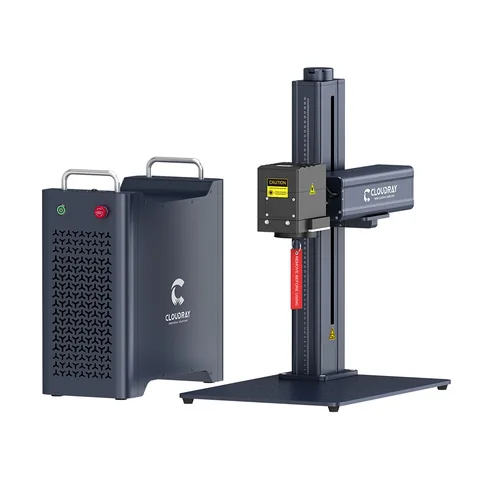
Cloudray GM Neo 100W: an arrival fault with a reported repair
BuildingAny5400 described a newly delivered GM Series Neo 100W whose lifting head would not move. The focusing dots appeared and the machine could frame a perimeter, but the tower buttons did nothing. The owner had emailed Cloudray and described the frustration of waiting across time zones. This was a motion and focusing problem, not evidence that the engraving source had lost output. Original report
In a follow-up, the owner identified a disconnected power connection on the board controlling Z movement and autofocus. They attributed it to shipping, reported that reconnecting it restored operation, and described Cloudray support as helpful. Their account supplies a concrete result; it does not document a prolonged production run or an independent shipping-damage assessment. Owner’s resolution
For a similar arrival complaint, preserve packaging photos and record which controls respond before changing anything. Ask support for instructions appropriate to the serial number, including who should perform cabinet work. This case records an owner’s repair; it is not a cabinet-opening tutorial.
ComMarker B4 30W: red scanning continued after engraving stopped
Creed303 identified a B4 30W, LightBurn Pro 2.0.05 and a new Mac mini running Tahoe 26.3 while engraving brass coins. Engraving stopped after varying intervals, but red scanning continued and LightBurn could still cancel the job. The owner tried simpler artwork, another USB cable, ferrites and a powered USB connection without reporting a cure. Original B4 report
After another commenter suggested heat, the owner posted progressively shorter run times: roughly 4 minutes 56 seconds, then 11, 9 and 7 seconds on immediate retries. They also shared a debug log and their interpretation of a machine-status change. This supports their suspicion of a protection event; it does not independently establish overheating, a failed power supply or the meaning of the status bits. Timing and log follow-up
The owner expressed dissatisfaction with support and discussed a possible return to China. The visible thread provides no confirmed diagnosis, completed return, replacement or successful repair. A commenter’s suggestion of a replacement power supply was not a documented supplier commitment. Support discussion
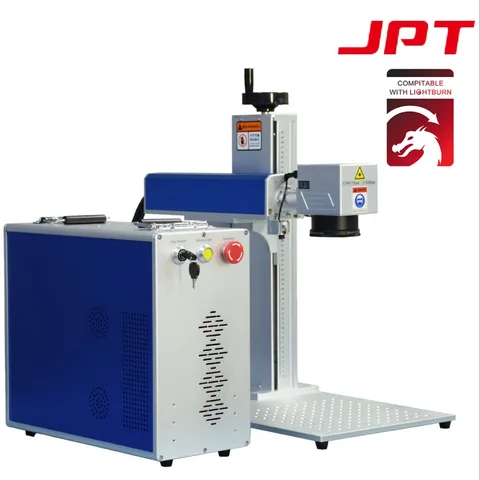
SFX 50W JPT: a failed production day without a final diagnosis
On July 20, 2023, cloxart described a 50W JPT fiber bought from SFX. After cutting 100 anodized aluminum labels the previous day, it produced little or no marking on the same material with apparently unchanged settings and focus. The owner also noticed a blurred framing beam, tried another lens and obtained the same weak result in LightBurn and EZCAD. Original failure report
That cross-software observation made the report more useful than an unexplained complaint: the symptom persisted outside the original application. It still could not isolate the source, optics, controller or configuration. A participant suggested a source problem, but no measurement or supplier diagnosis confirmed that explanation. Troubleshooting exchange
The owner said they had bought it the previous November and expected a two-year warranty to apply. The thread ends without a repair result or proof of warranty coverage being accepted. We therefore cannot call this a successful claim, a refused claim or a proven source defect. Last owner update
OMTech AF2028 80W: positive use, limited service evidence
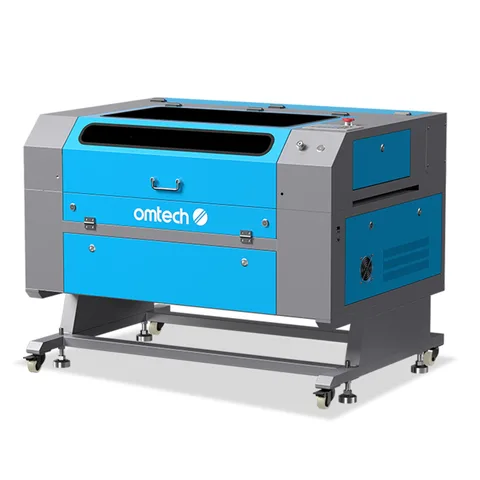
Knighthawk2800’s comment in an August 2023 discussion explicitly identifies an 80W AF2028, approximately two years of substantial use and no issues. That specificity makes it a useful positive counterweight to fault threads. The comment was located in the original discussion rather than inferred from another OMTech model. Original AF2028 owner comment
The account is brief. It gives no job hours, maintenance record, consumable replacements or service-ticket history. “No issues” describes what this owner chose to report; it cannot tell us how quickly support would resolve another buyer’s breakdown. It also does not establish the experience of later configurations carrying a similar name.
For a used machine, request records showing its actual configuration, maintenance and sample output. For a new one, use this comment as background ownership context and obtain current service terms for the quoted machine. Neither purchase can inherit this owner’s operating history.
Current prices put the cases in context
These are USD item-price snapshots checked November 15, 2026, before destination tax and any separately charged freight. Exact selections are linked below; checkout must confirm the delivered total. They are not the prices these owners paid, and they do not establish identical hardware revisions.
No current AF2028 price is attached to the historical account here because its exact older configuration has not been matched to a current offer. Likewise, the S1 price identifies today’s selected bundle, not the unnamed module in the forum discussion.
| Current selection | USD item price | Connection to the report |
|---|---|---|
| xTool S1: 40W Basic Bundle | $1,448 | The forum owners did not identify their source modules. |
| Cloudray GM Series Neo: 100W / United States / American Plug | $7,999 | Same named series and power; the post does not identify this variant. |
| ComMarker B4: 30W / 110V / Without rotary | $1,599 | Same named model and power; voltage and bundle were not confirmed. |
| SFX JPT fiber marker: 50W / 70 × 70 mm / D69 | $4,699 | Current configuration; the historical source generation, lens and chassis remain unconfirmed. |
Preserve a working setup before changing software
Create a dated setup folder while the machine is working. Save the device profile, lens correction files where applicable, material library, rotary configuration and an untouched sample project. Include screenshots of placement, origin, offsets and connection settings. Record the software and operating-system versions alongside the machine serial number and installed lens or module.
Keep the original supplier files separately from later edits. A similarly named profile downloaded afterward may not contain the same settings. Back up the files to another location, and make sure they can be opened before removing the existing installation. When possible, schedule software changes away from committed jobs.
After an update, use a familiar sample to check communication, positioning and finished output under the manufacturer’s normal operating procedure. Log what changed and what passed. If a fault appears, send support the before-and-after records. Avoid changing profiles, firmware and hardware together: that makes it harder to identify which change affected the result.
Build a support request that can reach an outcome
Open with the last successful job, the first failed job and the exact symptom. “The head moves but no mark appears” is more useful than “the laser is broken.” Attach the original project, material description, settings screenshot and a short video showing the failure within the normal protected operating setup. Include any alarm text and application log, preserving the original file rather than only a cropped screenshot.
For intermittent faults, record elapsed time to failure, whether it starts cold or after previous work, and which parts of the machine still respond. For arrival faults, include the packing condition and delivery date. List only checks actually performed, their results and support’s instructions; mark proposed explanations as unconfirmed.
Ask the supplier to state the next action, who performs it and what result would close the case. If parts or a return are proposed, keep the written authorization, shipping responsibility and dispatch record with the ticket. Follow up with the actual outcome: restored sample output, a replacement received, an unresolved fault or a refund. Keep an unresolved case open in your own log until there is evidence of that result.
Sources
- LightBurn forum: S1 profile recovery and continuing errors ↗
- Reddit: Cloudray GM Neo 100W arrival fault and owner’s resolution ↗
- Reddit: ComMarker B4 30W repeated stops and unconfirmed thermal hypothesis ↗
- LightBurn forum: SFX 50W JPT power loss without a final outcome ↗
- Reddit: OMTech AF2028 80W positive ownership comment ↗
- xTool S1: current 40W Basic Bundle selection ↗
- Cloudray GM Series Neo: current 100W / United States / American Plug selection ↗
- ComMarker B4: current 30W / 110V / Without rotary selection ↗
- SFX JPT fiber marker: current 50W / 70 × 70 mm / D69 selection ↗