Working area
Published model range
Monport
75/100Score6 reviewsManufacturer store · monportlaser.com
USD · tax & shipping extra · Recorded 2026-11-19
GM 30W Pro MOPA / Machine
$2,978Research byPickaLaserResearch updatedResearch method
The GM MOPA / GM Pro family includes integrated 30W and 60W JPT MOPA listings; check the focus method for the exact variant. Some LightBurn problems were recoverable: a GM60 owner restored framing by setting Red Dot Value to zero, while a GM 60W Pro Mac user restored preview and engraving after rediscovery and a different configuration import.
LightBurn connection, framing and calibration dominate the available owner evidence. Several cases improved, but a GM60 discovery failure and a 60W Pro Mac positioning case have no confirmed resolution. Another owner introduced fresh preview distortion after fitting a 300 × 300 mm lens. Budget time to validate your exact computer, software version and lens configuration.
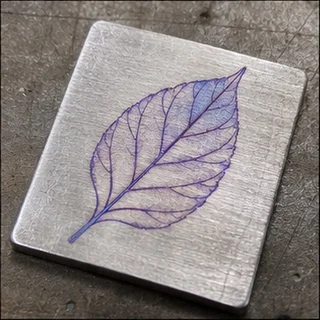
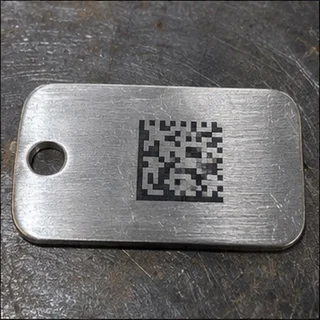
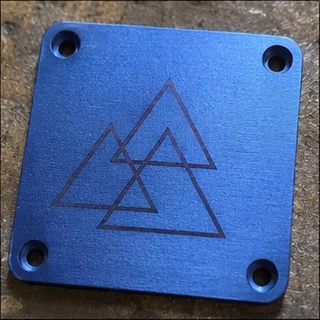
Controlled-pulse metal marking & engraving
Published model range
Air-cooled
Windows & Mac
An editorial buying assessment of specifications, prices, after-sales terms and the quality and balance of firsthand experiences. This is not a laboratory test or a customer star rating.
Reviews: evidence quality contributes 10 points and reported experience contributes 20. We average independent accounts; more reviews do not automatically earn more points. Sample size affects confidence only.
Mixed or unrated accounts use the experience midpoint; they are not counted as positive endorsements.
The owner describes a concrete setup problem and later confirms that the adjustment or workaround worked.
The owner describes a specific operational problem, but the available account does not establish its cause or a completed repair.
The owner describes a concrete setup problem and later confirms that the adjustment or workaround worked.
The owner describes a specific operational problem, but the available account does not establish its cause or a completed repair.
The owner describes a concrete setup problem and later confirms that the adjustment or workaround worked.
The owner gives software versions or configuration details and concrete tests, rather than only a general opinion.
LightBurn Software Forum · 2026-08-30 · JWoodason · Self-reported use
A Mac user saw BSLFiber Ready in LightBurn 2.1.04, but the light would not frame. Rediscovery and a different configuration import restored preview and engraving. The owner still found state changes unstable.
Read the original discussion: GM 60W Pro: reimporting configuration restored workLightBurn Software Forum · 2026-03-06 · soulman · Self-reported use
An M1 iMac user running Tahoe 26.3 and LightBurn 2.0.05 reported that device discovery stalled. Manual setup allowed firing, but preview and positioning on a brass coin still did not work properly. No resolved outcome is recorded.
Read the original discussion: 60W Pro MOPA: Mac connection and positioning remained unresolvedLightBurn Software Forum · 2025-11-10 · ErikB · Self-reported use
A first-time owner found that the Mac instructions differed from their LightBurn version. The machine connected but had no red framing light. They later restored framing the same day, without knowing which change fixed it.
Read the original discussion: GM 30W: a new Mac user eventually restored framingLightBurn Software Forum · 2025-09-26 · Stetan5814 · Self-reported use
A new owner said LightBurn could not discover the machine. Manually choosing BSL and importing configuration files still did not connect it. The public discussion contains no confirmed fix.
Read the original discussion: GM 60W: LightBurn discovery and manual connection failedLightBurn Software Forum · 2025-06-26 · jhartman244 · Self-reported use
The manufacturer software could frame, but LightBurn showed no red framing light. The owner changed Red Dot Value to zero and confirmed that framing returned the same day.
Read the original discussion: GM60: changing Red Dot Value restored framingLightBurn Software Forum · 2025-03-11 · RCGunsmithing · Self-reported use
A new owner initially had intermittent preview, removable marks and reversed directions. Source and calibration changes enabled engraving. A later change to a 300 × 300 mm lens introduced preview distortion, so the whole case was not fully resolved.
Read the original discussion: GM 60W: calibration helped, then a larger lens brought new issues| Rated power | 30 W |
|---|
| Max speed | All Models: 10,000 mm/s (393.7 ips)Source ↗ |
|---|---|
| Rated power | GM30 MOPA Pro: 30 W; GM60 MOPA Pro: 60 WSource ↗ |
| Laser source | GM30 / GM60 MOPA Pro: JPTSource ↗ |
| Working area | GM30 / GM60 MOPA Pro: 175 × 175 mmSource ↗ |
| Machine weight | GM30 MOPA Pro: 15.6 kg; GM60 MOPA Pro: 16.6 kgSource ↗ |
| Pulse width | GM30 / GM60 MOPA Pro: 2–500 nsSource ↗ |
| Marking speed | 10,000 mm/sSource ↗ |
| Precision | 0.01 mmSource ↗ |
| Focus method | AutofocusSource ↗ |
| Software | BslAppSimple (Windows); LightBurn (separate license, Windows / macOS)Source ↗ |
| Cooling | Air-cooledSource ↗ |
| Wavelength | 1064 nmSource ↗ |
| Dimensions | 400 × 330 × 620 mmSource ↗ |
ComMarker
LightBurn is supported.
OMTech
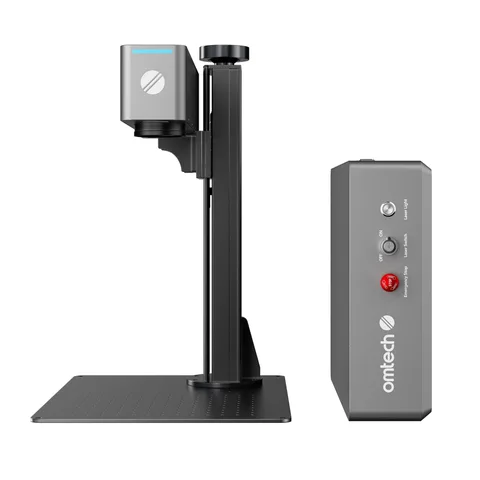
A desktop layout for a bench setup.
OMTech
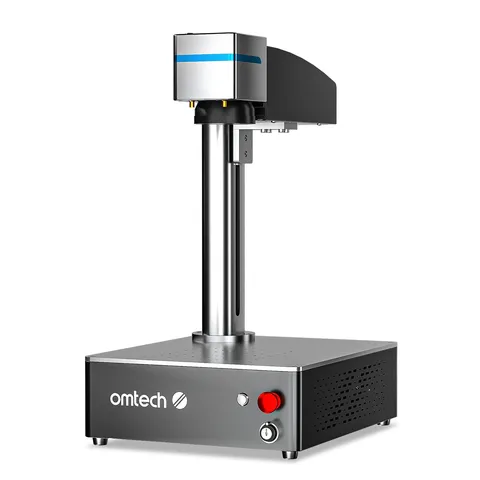
The listed working area is 150 × 150 mm.
OMTech
LightBurn is supported.