Skip to content

ATOMSTACK

44/100Score1 review

ATOMSTACK R8 Rotary Chuck / R8 Pro Set

Rotary attachments & chucksRotary chuck

Check price on Amazon

Amazon · Atomstack Direct US

View on Amazon

Will it fit your work?

Seller reference image

Rotary chuck
ATOMSTACK R8 Rotary Chuck / R8 Pro Set: seller reference photoSelected listing ↗

Listed compatibility

Machine / series
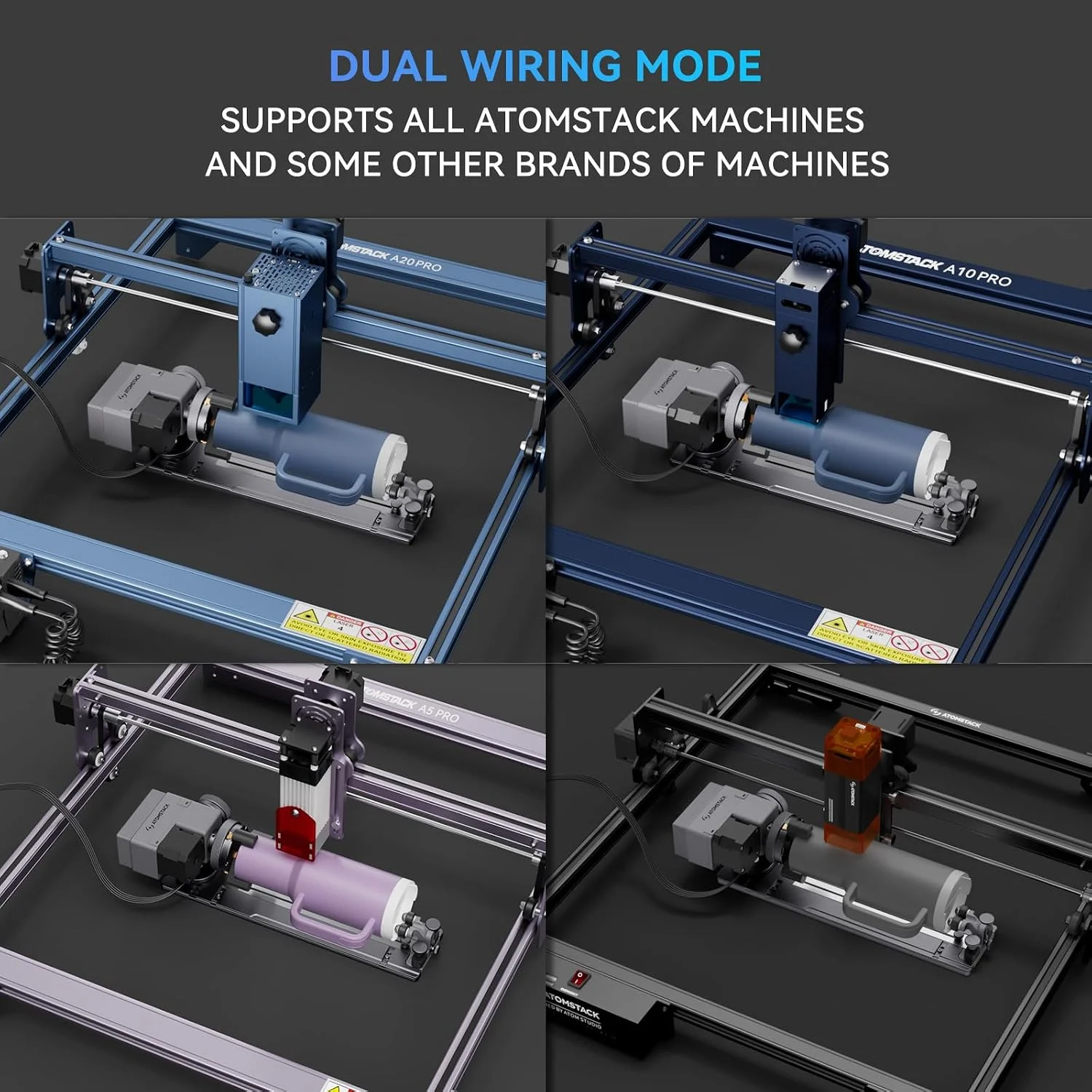
xTool S1xTool D1 ProxTool F1ORTUR Master seriesCreality FALCONATOMSTACK family — confirm modelSCULPFUN family — confirm model
Workpieces
Cups & tumblersHandled mugsRingsSpheresBottlesTapered drinkware

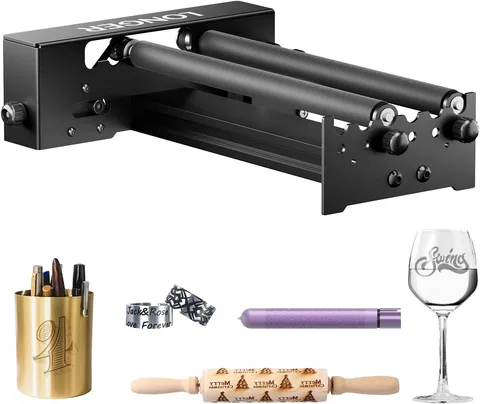
The selected R8 photograph shows a chuck and tailstock, not a separate powered roller. Select the R8 Pro set when you need the separate R6 roller; seller angle and speed claims are not confirmed by the manufacturer’s R8 specifications.

Buying notes & checks

Offers roller, chuck, sphere and ring modes. The seller lists several machine brands, but connector wiring and usable clearance still depend on your engraver.

Confirm the controller, motor wiring, driver settings and available height with the seller. A matching connector alone is not a compatibility check.

Score

1 review
44 / 100

Compatibility30/30

Specifications0/20

Pricing evidence5/20

Owner review evidence8.5/30

Why this score

An editorial assessment of compatibility, specifications, pricing and firsthand experience.

Compatibility

Applications documented
7.5/7.5
Laser or machine compatibility
7.5/7.5
Exact package identified
7.5/7.5
Fit limits and exclusions
7.5/7.5

Specifications

Size or capacity documented
0/10
Setup requirements documented
0/10

Pricing evidence

Priced exact package
0/5
Price recency
0/5
Listing identity checked
5/5
Same package cross-checked
0/5

Owner review evidence

Evidence quality
8.5/10
Reported experience
0/20

Reviews: evidence quality contributes 10 points and reported experience contributes 20. We average independent accounts; more reviews do not automatically earn more points. Sample size affects confidence only.

1 independent owner accounts.

0 Positive0 Mixed1 Negative0 No directional verdict

Mixed or unrated accounts use the experience midpoint; they are not counted as positive endorsements.

  • yeslek · forum.lightburnsoftware.com ↗Negative · Detailed use or test

    New R8 and older R1 both grind/vibrate on Falcon 2 Pro; a Creality chuck works. Reset restores machine operation but not Atomstack rotation; later power-supply symptoms leave the cause unresolved. This does not prove an R8 hardware defect.

Sources & fit notes
  • The selected R8 photograph shows a chuck and tailstock, not a separate powered roller. Select the R8 Pro set when you need the separate R6 roller; seller angle and speed claims are not confirmed by the manufacturer’s R8 specifications.
  • Diameter ranges differ by source: the seller lists cylinders up to 200 mm and spheres up to 150 mm; the manufacturer lists up to 80 mm for each. Confirm the supplied jaws and your workpiece size before ordering.

How to get started

  1. PART DIAMETER01

    Check fit and wiring

    Confirm the exact connector and machine interface. Check the workpiece and rotary together for bed and laser-head clearance.

  2. ChuckRollerTYPE + MAKER CALIBRATION02

    Configure your rotary type

    Choose chuck or roller in your software and use the maker's calibration values. Do not copy settings from a different rotary model.

  3. TEST A FULL ROTATION03

    Run a small test

    Check rotation and artwork alignment on a test piece before a full wrap. Verify that the part stays secure through the movement.

General setup guidance; it does not establish compatibility with your engraver.

Reviews & discussions

The located R8 thread asks about cross-brand connection and manufacturer support. It does not provide a completed owner test, so it cannot establish engraving quality or reliability.

Read sources (1)

LightBurn Forum · Pre-purchase discussion

Cross-brand compatibility is still a buying question

An R8 shopper discusses a manufacturer reply about connecting it to a Longer machine. The thread is useful for separating electrical connection, software configuration and manufacturer support.

Pre-purchase discussion, not an R8 owner test. Another participant's successful RA2 setup is not an R8 performance result.

Read original source: Cross-brand compatibility is still a buying question ↗
Research byResearch updatedResearch method

This comparison covers ATOMSTACK R8 Rotary Chuck / R8 Pro Set using published specifications, recorded seller prices and any available owner evidence.

Selected configuration: R8; four-in-one rotary · Atomstack Direct US · Original listing ↗

What specifications are published?

ModesRoller Rotary, Chuck Rotary, Sphere-Engraving Module, and Ring-Engraving Stud
Included rotaryR8 chuck with interchangeable jaws and tailstock supportSource ↗
Full specifications

R8; four-in-one rotary

ModesRoller Rotary, Chuck Rotary, Sphere-Engraving Module, and Ring-Engraving Stud

Listing 2

Included rotaryR8 chuck with interchangeable jaws and tailstock supportSource ↗
Source ↗

Common questions

Will it work just because the plug fits?

A connector can fit while the wiring or controller requirements differ. Ask for the pinout and setup instructions for your exact engraver before connecting it.

Which diameter belongs in rotary setup?

Chuck and roller setup use different measurements. Follow your software's instructions for the chosen rotary type rather than treating chuck size, roller diameter and object diameter as the same thing.

Seller support & returns

Check the selected seller's return terms for this exact package. Ask about opened coatings or installed accessories before buying.

Selected listing: Atomstack Direct US ↗
Seller listings (2)

R8; four-in-one rotary

Check price on AmazonAmazon
View on Amazon

More in this category